
Weebly Is Shutting Down: The Complete 2026 Guide to Migrating to Wix Without Losing Anything
- Jahnavi TP
- Jul 6
- 6 min read

Weebly is shutting down. If you built your website on it, you've probably already heard the news — and if you haven't, this is the moment to pay attention. Square, which owns Weebly, has confirmed it is closing the platform for customers in 67 countries, and the shutdown clock is already running.
Whether you run a personal portfolio, a small business site, a blog, or an online store, the smart move is to get ahead of the shutdown instead of scrambling in the final weeks. The good news: migrating your website doesn't have to mean losing years of work. With the right plan, you can carry your content, your branding, and your hard-earned search rankings to a new home — and Wix is one of the strongest places to land.
What's Actually Happening to Weebly (Key Dates You Can't Ignore)
Square has confirmed it is winding down Weebly for site owners in 67 countries, giving them a limited window to move before their sites go dark permanently. This isn't a rumor or a scare tactic — it's an official, staged shutdown with three real dates attached.

The Weebly shutdown timeline: three dates, three consequences.
June 29, 2026 — New page publishing is disabled. You can still edit your site, but you can no longer publish new pages.
September 27, 2026 — Your Weebly site goes offline entirely and stops serving visitors.
December 26, 2026 — Your Weebly account is permanently closed, along with everything stored inside it.
Affected countries span a wide range — from Nigeria and Kenya to Ukraine and Vietnam to Peru and Chile — dozens of markets across Africa, Asia, Latin America, the Middle East, and Eastern Europe. If your business operates in one of these regions, treat this shutdown as a hard deadline, not a "someday" project.
It's worth being honest about how this transition has felt for people already going through it. In Square's own community forum, one affected site owner described facing the prospect of manually re-entering data for over 600 items, calling the burden of re-creating years of work “completely unreasonable” without a real migration path provided. That's not meant to scare you — it's exactly why starting early, and following a real checklist, matters more than it might seem right now.
No Matter What Kind of Site You Run, You Can Migrate It
One of the biggest myths about platform migration is that it's only worth doing for simple sites. In reality, almost every type of Weebly site can be rebuilt on Wix:
Portfolios — photographers, designers, and freelancers can recreate galleries and case studies with even more visual flexibility on Wix.
Business and service websites — booking forms, contact pages, and service listings all have direct equivalents in Wix.
Blogs — Wix has a dedicated blogging platform, and Weebly supports blog exports, so your posts don't have to be rewritten from scratch.
Online stores — Wix Stores supports products, categories, and payment integrations, so ecommerce sellers aren't starting from zero.
Why Wix Makes Sense as Your New Home After Weebly
Beyond simply "not being Weebly," Wix brings some real upgrades to the table:

Weebly vs. Wix across five features that matter most.
Design freedom — Wix's editor gives you far more granular control over layout, spacing, and design than Weebly's more rigid templates.
A mature app ecosystem — from booking tools to email marketing to advanced SEO plugins, the Wix App Market covers most of what a growing site needs.
Built-in SEO tools — Wix has invested heavily in structured SEO settings, making it easier to protect the rankings you've already earned.
Room to grow — whether you're adding a store, a membership area, or multilingual pages later, Wix scales with you instead of boxing you in.
“It's been dead for the last few years — I'd move on to Wix, Squarespace, or WordPress if you can.”
— a longtime Weebly user, on Square's community forum
How to Migrate From Weebly to Wix: The 9-Step Checklist
Here's the honest, important part: Wix doesn't offer a one-click import button that pulls a Weebly site over automatically. A clean, no-data-loss migration isn't something that happens by default — it's something you engineer by following the right steps, in the right order, while your Weebly account is still active.
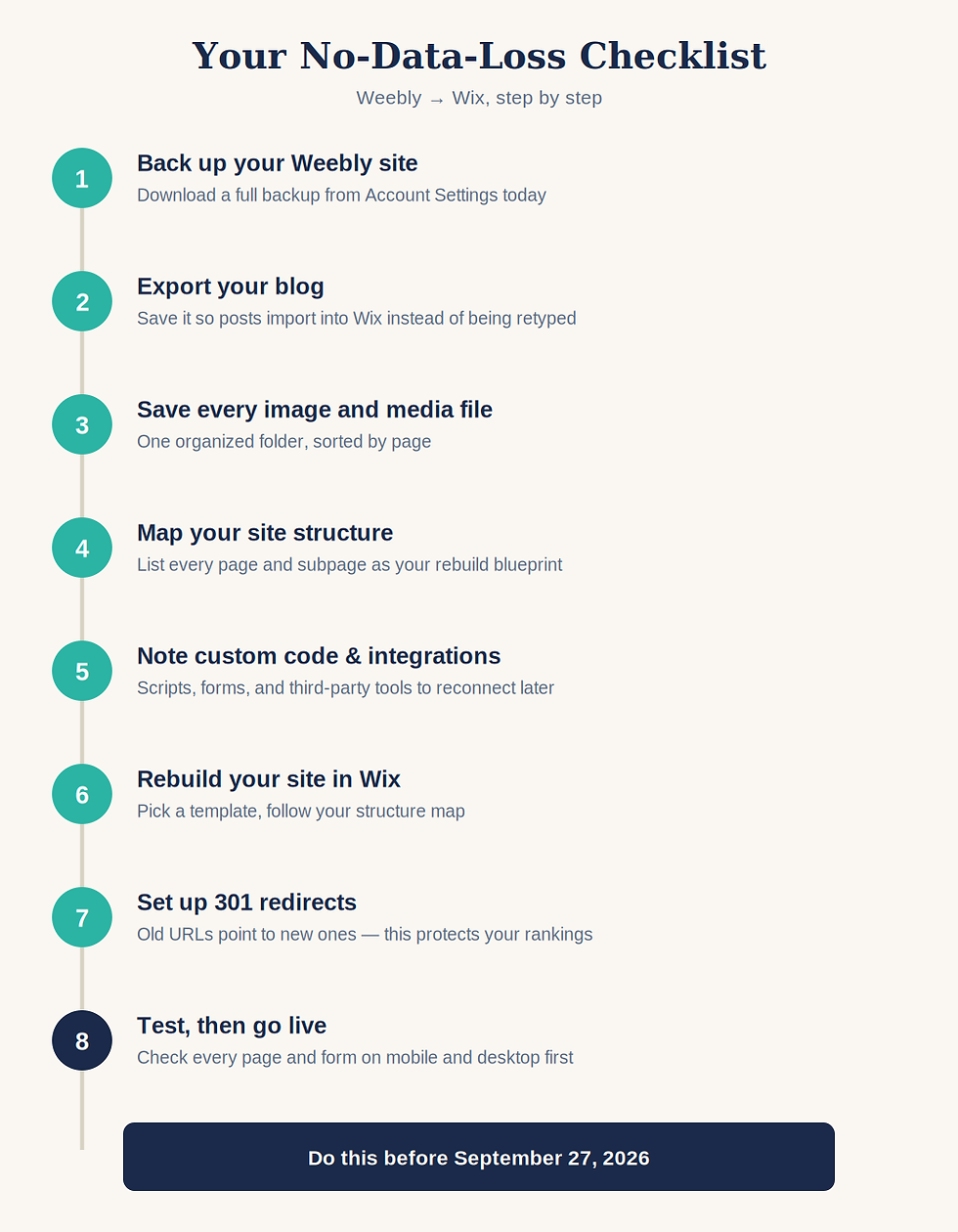
Your nine-step, no-data-loss migration checklist.
1. Back up your Weebly site first
Go into Weebly's Account Settings and download a full backup while you still have access. Do this today, not in November — once your account closes, this option disappears with it.
2. Export your blog separately
Weebly allows blog content to be exported, which you can then bring into Wix's blogging platform without retyping every post word for word.
3. Save every image and media file in one organized folder
Download every photo, product image, and video asset, and sort them by the page they belong to. Organized files now mean a much faster rebuild later.
4. Map out your entire site structure
Write down every page, menu item, and subpage on your current site, including anything nested under dropdown menus. This becomes your blueprint so nothing gets forgotten during the rebuild.
5. Note any custom code or third-party integrations
If you've added custom HTML, tracking scripts, embedded booking tools, or payment integrations, write down exactly what each one does so you can reconnect or replace it on Wix.
6. Create your Wix account and choose a template
Pick a template that matches your current design, or use the move as a chance for a refresh. Wix's drag-and-drop editor will feel familiar if you're used to Weebly's.
7. Rebuild your pages using your structure map
Work through your page list methodically, dropping in your saved text and media as you go. For larger stores or blogs, tackle this in batches rather than all at once.
8. Set up 301 redirects before you launch
Once your new Wix site is ready, redirect your old Weebly URLs to their new Wix equivalents. This single step is what actually protects your search rankings and stops returning visitors from hitting broken links.
9. Test everything before you fully switch over
Preview every page, form, and link on both mobile and desktop. Click every button. Submit a test form. Catch the small stuff now, before real visitors do.
Don't Wait for the Last 90 Days
The safest window to migrate is now — not the week before your site goes offline. Domain transfers, content exports, and redirect setups all take time, and they only work smoothly while your Weebly account is still active. Businesses that wait until the September or December deadlines often find themselves rushing through a process that should have been calm and deliberate, or worse, facing the kind of manual, hundreds-of-hours rebuild that frustrated users are already describing.
If Weebly has been part of your business for years, moving on doesn't have to feel like starting over. With a clear checklist and a little lead time, your content, your brand, and your visitors can all make the move to Wix with you fully intact — and arguably better than before.
Frequently Asked Questions
When is Weebly shutting down?
The shutdown happens in three stages: new page publishing stops on June 29, 2026; sites go fully offline on September 27, 2026; and accounts (along with all stored data) are permanently closed on December 26, 2026.
Which countries are affected by the Weebly shutdown?
Square is closing Weebly for customers in 67 countries across Africa, Asia, Latin America, the Middle East, and Eastern Europe, including markets like Nigeria, Kenya, Ukraine, Vietnam, Peru, and Chile.
Will I lose my SEO rankings if I move from Weebly to Wix?
Not if you migrate carefully. Setting up 301 redirects from every old Weebly URL to its new Wix equivalent is the key step that preserves your existing search rankings and link equity.
Can I export my Weebly blog to Wix?
Yes. Weebly supports blog exports, and Wix has a dedicated blogging platform that can import that content, so you don't have to manually retype every post.
Does Wix have a one-click Weebly import tool?
No. There is currently no automatic one-click migration from Weebly to Wix, which is why following a structured, manual checklist — like the 9 steps above — is essential to avoid data loss.
Ready to Make the Move?
Weebly's shutdown timeline is fixed, but your migration experience doesn't have to be chaotic. Start your backup today, follow the checklist in order, and you'll land on Wix with your content, your brand, and your rankings intact.


I appreciated how this piece reinforced key concepts through varied examples rather than just repeating definitions. The author clearly understood that real learning comes from seeing ideas applied in different contexts. That variety helped solidify my understanding far better than a single explanation would have. It made the whole piece feel genuinely effective as a learning tool. For more effective, example-driven content, learn with us and explore further material on the topic. Great job reinforcing these ideas so clearly.